
Clean Data on Startup – Flash Transfer Errors
Issue/Symptoms:
If errors like Runtime Invalid use of null etc. shows up during data transfer, it's possible some data is corrupted.
NOTE:
Please backup the C:\VitalsMobile\Data folder from the TC controller to a good known location, then try the following.
Possible Solution:
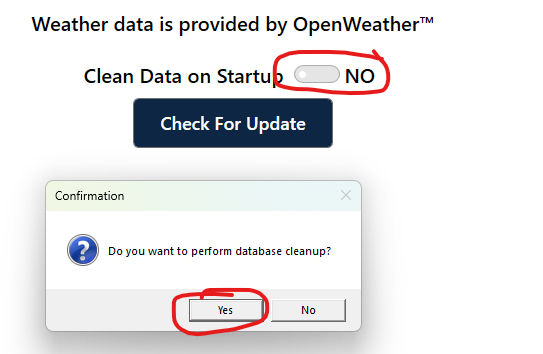
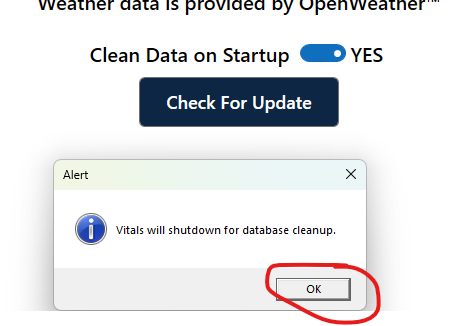
Try launching Vitals Mobile and then go to the Settings page and then to the About tab, then set the Clean Database on Startup to YES and then click YES on the pop-up message. Then click OK. After this, vitals will close, re-launch Vitals Mobile again and then restart the Flash Transfer again and see if you still have the error message.
If you still have Flash Transfer errors after this, you will need to create a ticket and submit your data for review as explained in the following article here: TC-100 SQL Logic Errors